
Coming soon: your dataset table view will change on August 31 ⏳

Related product area:Asset views
  • June 19, 2026
  • 7 replies
  • 47 views

Forum|alt.badge.img


In the legacy version of the platform, it is possible to provide a simplified view of your datasets (by hiding or reordering fields).

However, these adjustments are purely visual: hidden fields remain accessible via exports and APIs, which can lead to confusion.


📆 August 31: full deprecation of table view configuration

The table view configuration will be deprecated (whether you are using the legacy or the new platform experience). The table view will automatically reflect your dataset schema (same fields, same field order). As a result, explored, exported, and queried data will be fully consistent. ✅


📆 June 23: switch to ‘read-only’ mode for the current configuration (intermediate step)

You will no longer be able to edit it, but it will remain visible in your back office as a reference (the change will take full effect on August 31).

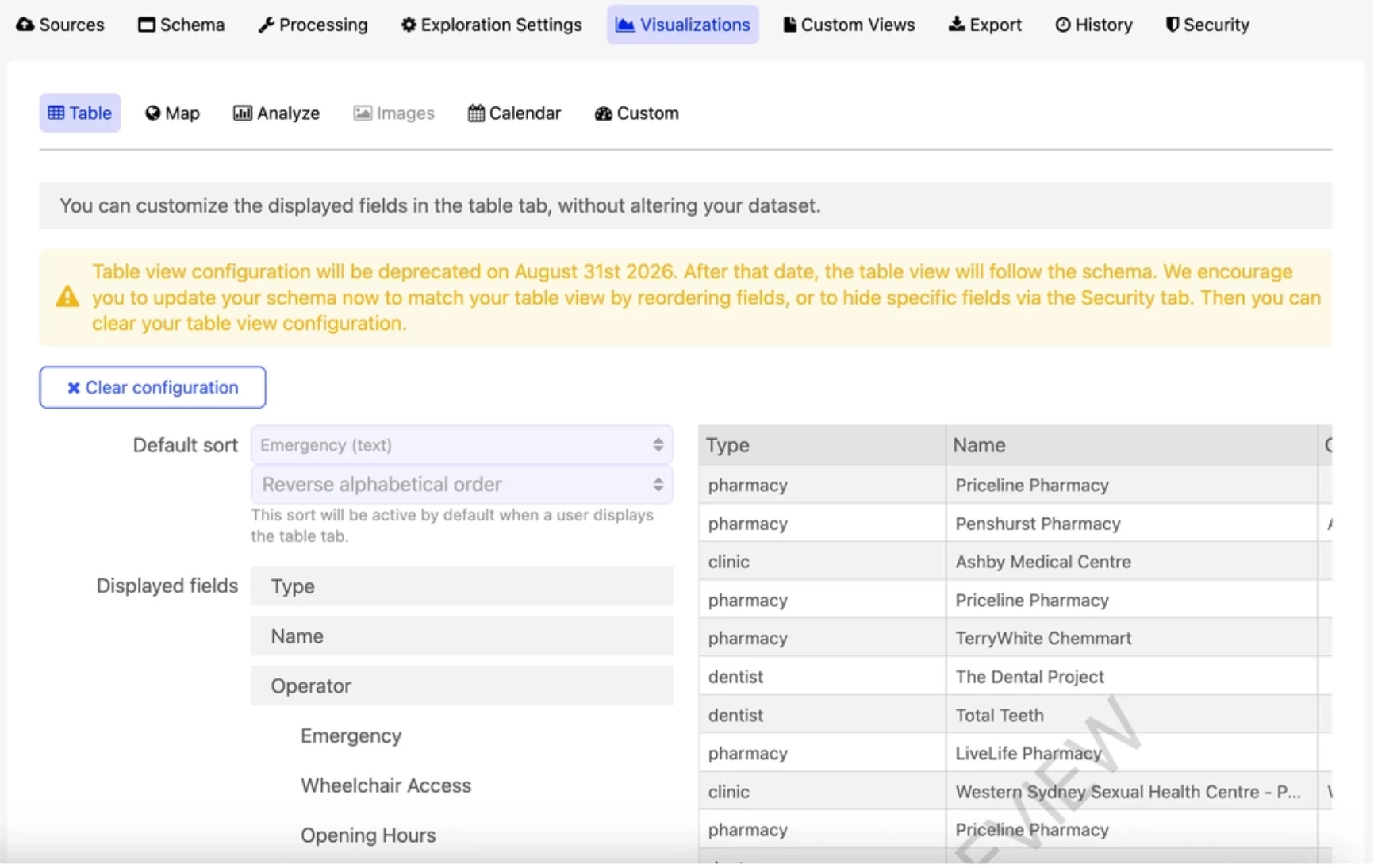
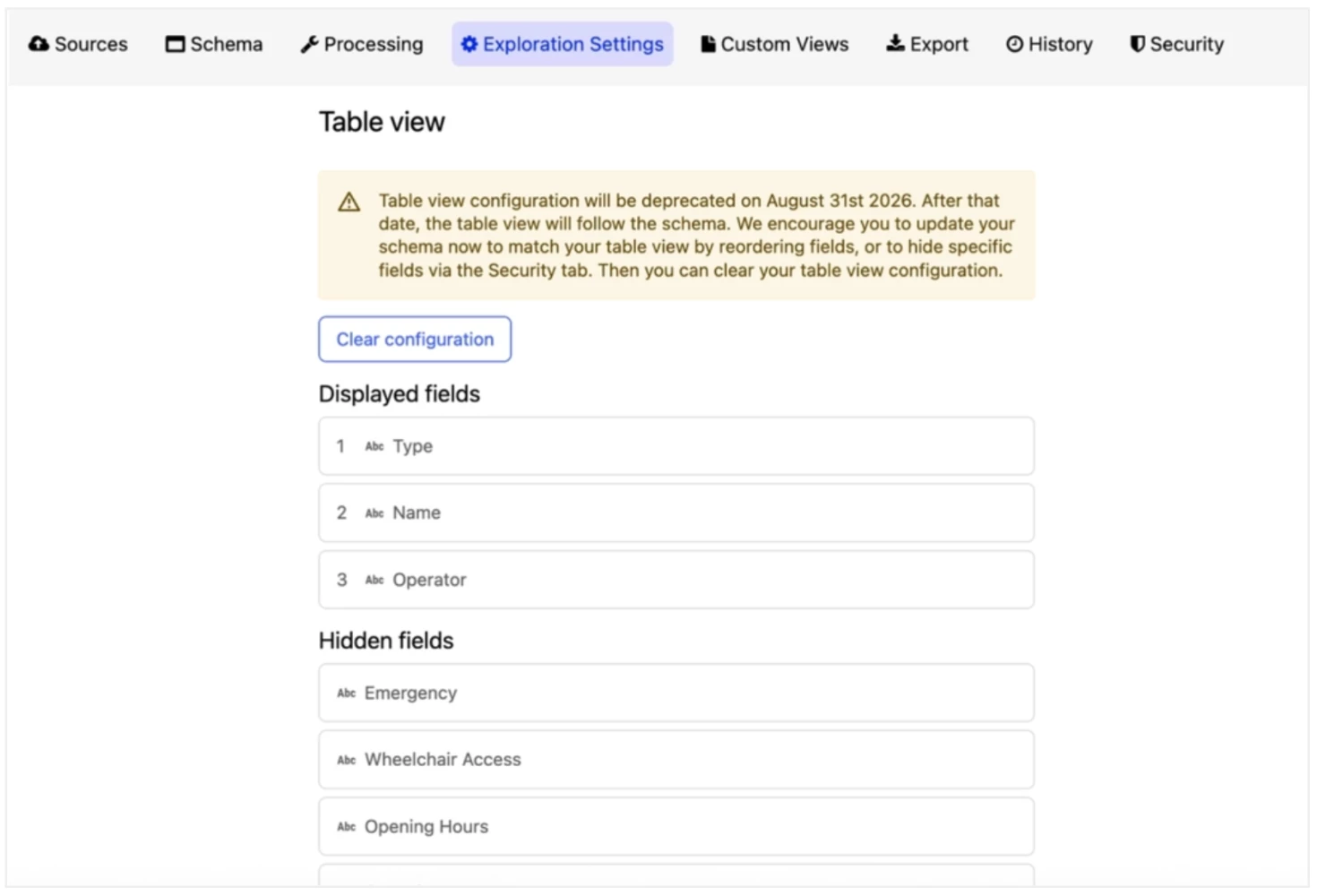
👉 Preview of your back office on June 23, depending on your setup:

Case #1 - you are on the legacy experience (or have only migrated your back office to the new experience): 


Case #2 - you are on the new experience (back office and front office):


3 ways to keep providing simplified views 🚀

1. Update your schema: align it with your current table view (reordering or removing fields) 
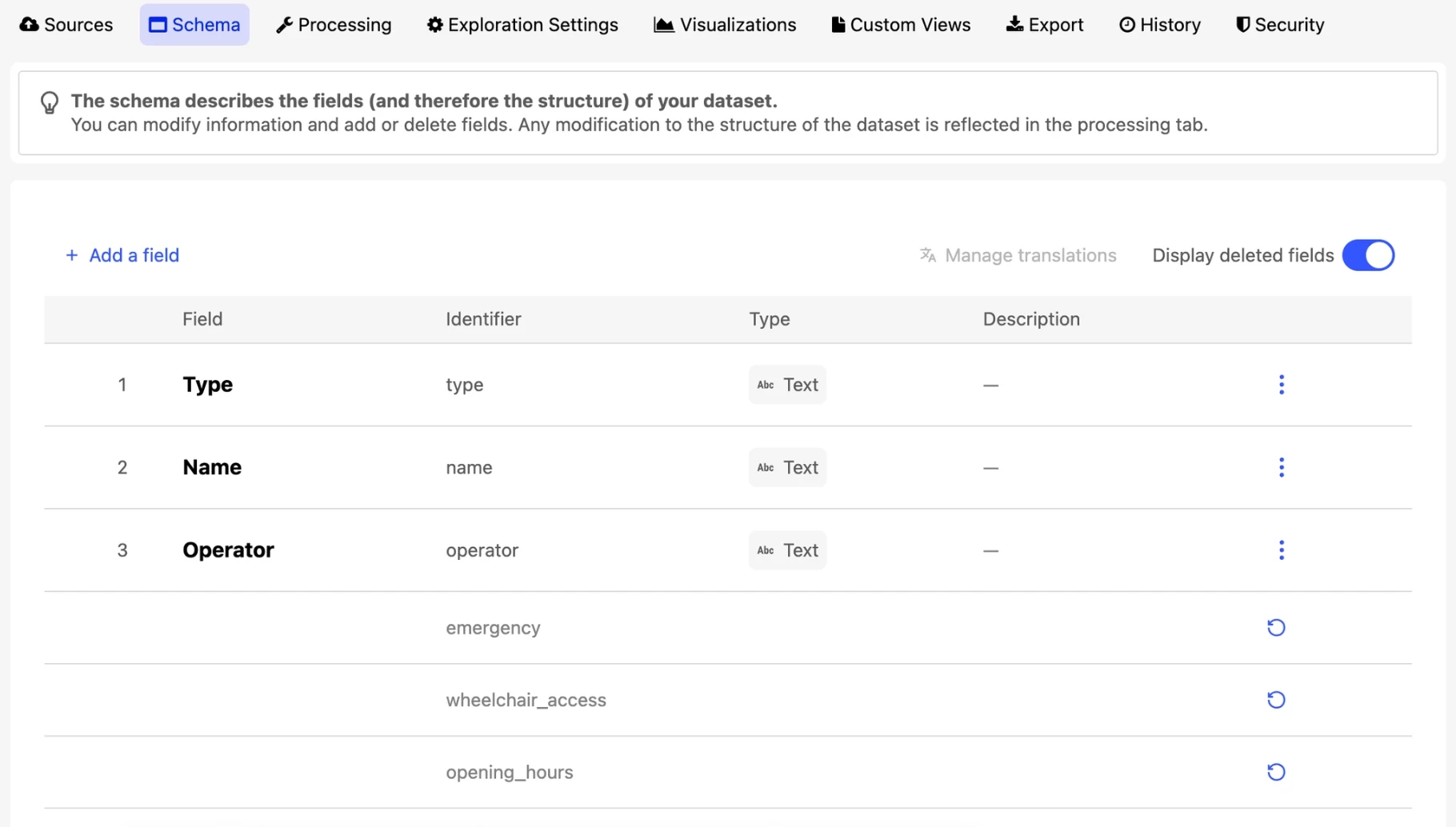


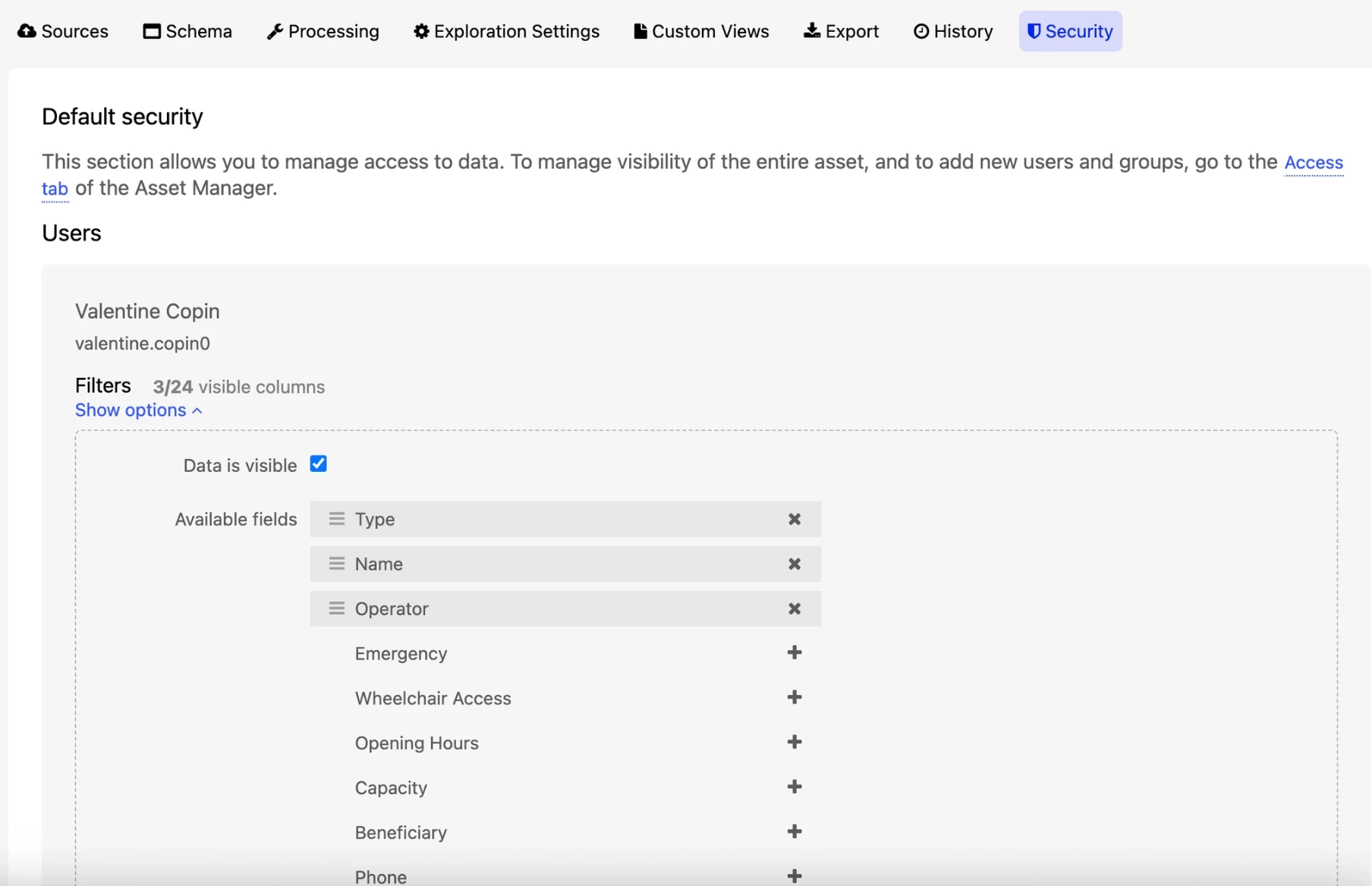
2. Configure the dataset “Security” tab: define field visibility based on users or groups 


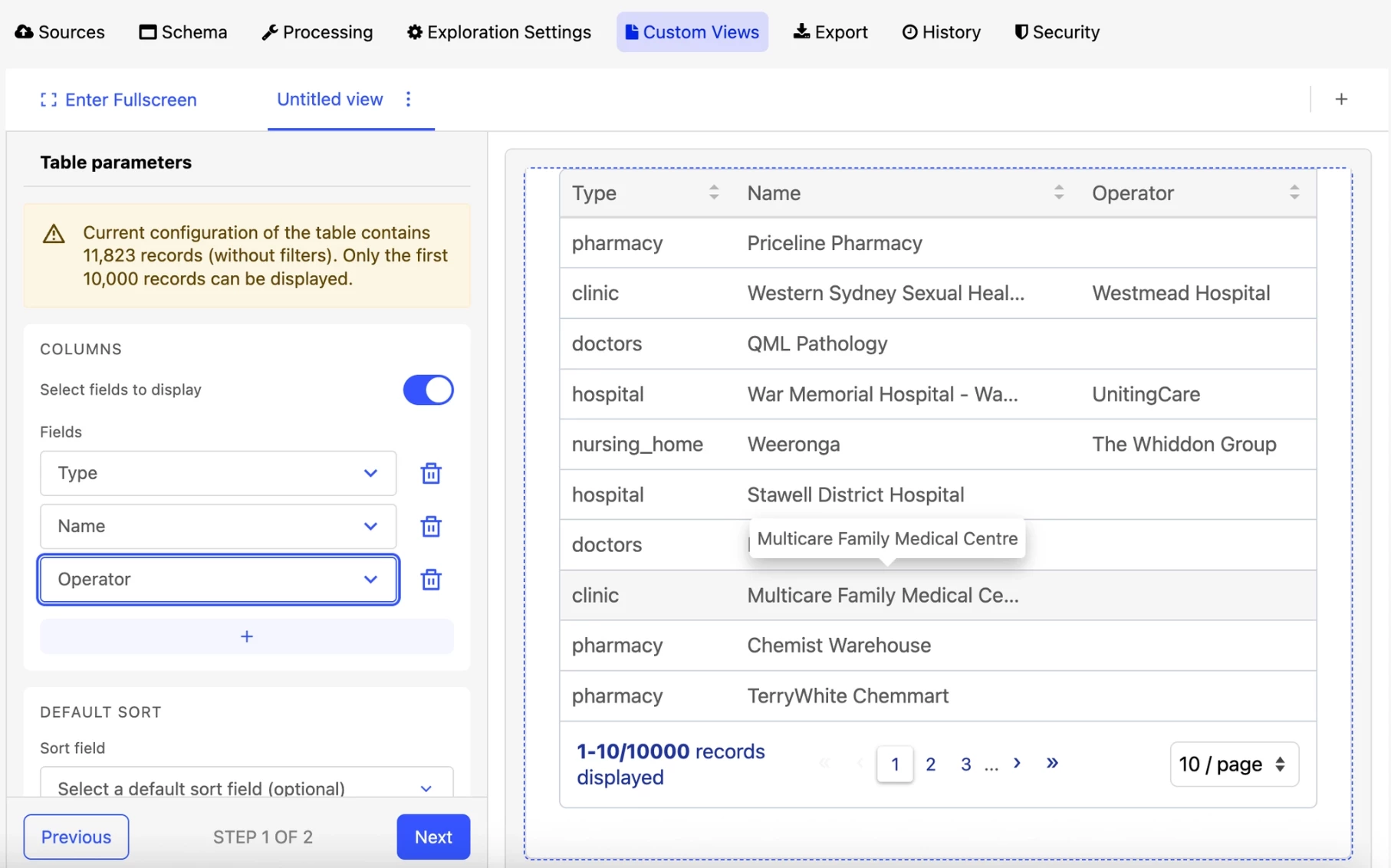
3. Create custom views (new experience only): design table views with filtered, sorted, or limited columns. The full schema-based view remains available, but you choose which one to highlight  


Need more information? 

Check out the documentation

7 replies

Forum|alt.badge.img+3
  • Guardian
  • June 25, 2026

We have had ours impacted (we are on the legacy experience) … is it possible to turn back on the default sort option for the Table view or advise how we affect it using the schema?


Forum|alt.badge.img+3
  • Guardian
  • June 26, 2026

We have had ours impacted (we are on the legacy experience) … is it possible to turn back on the default sort option for the Table view or advise how we affect it using the schema?

It affects 314 out of our 439 public datasets.  


Benwa
Huwise Team
Forum|alt.badge.img+3
  • Huwise Team
  • June 26, 2026

Hi Yvonne,

Initially, we had envisioned organizing the datasets around an Explore consumption tool that would accurately reflect the schema, with Custom Views allowing for content curation to better define what was displayed and the security rules (particularly through the restrictions available on the Security tab).

However, after reviewing the feedback we’ve received—including yours—we’re going to make a change to restore a default sort setting for datasets, likely in the Exploration Settings tab, allowing you to sort not only the Explore view but also exports.

We’re working as quickly as possible to prioritize this issue and will keep you updated once this update goes live.

Benoît


Forum|alt.badge.img+3
  • Guardian
  • June 29, 2026

However, after reviewing the feedback we’ve received—including yours—we’re going to make a change to restore a default sort setting for datasets, likely in the Exploration Settings tab, allowing you to sort not only the Explore view but also exports.

We’re working as quickly as possible to prioritize this issue and will keep you updated once this update goes live.

Benoît

Thank you!


Also with this change, our “processing” fields and columns are needed but not necessarily needed for the display in the table (map etc) but we don’t want to have to configure security against each of these fields. Please reconsider 🙏


Benwa
Huwise Team
Forum|alt.badge.img+3
  • Huwise Team
  • June 29, 2026

Hi Yvonne,

However, after reviewing the feedback we’ve received—including yours—we’re going to make a change to restore a default sort setting for datasets, likely in the Exploration Settings tab, allowing you to sort not only the Explore view but also exports.

We’re working as quickly as possible to prioritize this issue and will keep you updated once this update goes live.

Benoît

Thank you!


Also with this change, our “processing” fields and columns are needed but not necessarily needed for the display in the table (map etc) but we don’t want to have to configure security against each of these fields. Please reconsider 🙏

In this case, whilst your request is certainly legitimate, it is much more complicated for a large number of customers.

There has been a great deal of confusion amongst our customers ever since this feature was introduced, regarding the distinction between selecting columns in the table view AND restricting columns via the Security tab.

A great many customers believed that by hiding a column in the table view, it would also disappear from the Explore API, whereas it was still present as it was required for joins or an other usage.

As this relates to security, we are fairly convinced that whether or not a column is displayed is a matter for the schema and therefore that the table must accurately reflect the schema.

You can remove a field from the schema if it is not needed, or move it to the end of your schema if it is required for technical joins, for example.

Do you have a use case that differs from this one?


Forum|alt.badge.img+3
  • Guardian
  • July 6, 2026

Hi Yvonne,

However, after reviewing the feedback we’ve received—including yours—we’re going to make a change to restore a default sort setting for datasets, likely in the Exploration Settings tab, allowing you to sort not only the Explore view but also exports.

We’re working as quickly as possible to prioritize this issue and will keep you updated once this update goes live.

Benoît

Thank you!


Also with this change, our “processing” fields and columns are needed but not necessarily needed for the display in the table (map etc) but we don’t want to have to configure security against each of these fields. Please reconsider 🙏

In this case, whilst your request is certainly legitimate, it is much more complicated for a large number of customers.

There has been a great deal of confusion amongst our customers ever since this feature was introduced, regarding the distinction between selecting columns in the table view AND restricting columns via the Security tab.

A great many customers believed that by hiding a column in the table view, it would also disappear from the Explore API, whereas it was still present as it was required for joins or an other usage.

As this relates to security, we are fairly convinced that whether or not a column is displayed is a matter for the schema and therefore that the table must accurately reflect the schema.

You can remove a field from the schema if it is not needed, or move it to the end of your schema if it is required for technical joins, for example.

Do you have a use case that differs from this one?

I appreciate the rationale behind the change, particularly around consistency between the table view, exports and APIs, and I understand the security considerations being addressed.

However, from a data publishing perspective, I see schema, security and presentation as three separate concerns.

The dataset schema should continue to represent the complete structure of the published dataset that is available to consumers, regardless of how that information is presented in a particular view. Security controls should determine what users can and cannot access, while table views should focus on improving usability and helping users navigate complex datasets.

As publishers of data, we have configured table views in accordance with the platform's (previous) design and capabilities. In those cases, the table view has been used as a presentation layer rather than as a mechanism to redefine the dataset schema.

Our concern is that removing the ability to provide a simplified default table view may make some datasets less approachable for casual users, particularly where datasets contain technical or administrative fields that are important for API consumers but not necessarily for everyday exploration.

Would it be possible to retain a distinction between the underlying dataset schema and a publisher-defined default table presentation, while still ensuring consistency and clarity around what data is available through exports and APIs?


Forum|alt.badge.img+3
  • Guardian
  • July 6, 2026

Hi Yvonne,

Initially, we had envisioned organizing the datasets around an Explore consumption tool that would accurately reflect the schema, with Custom Views allowing for content curation to better define what was displayed and the security rules (particularly through the restrictions available on the Security tab).

However, after reviewing the feedback we’ve received—including yours—we’re going to make a change to restore a default sort setting for datasets, likely in the Exploration Settings tab, allowing you to sort not only the Explore view but also exports.

We’re working as quickly as possible to prioritize this issue and will keep you updated once this update goes live.

Benoît

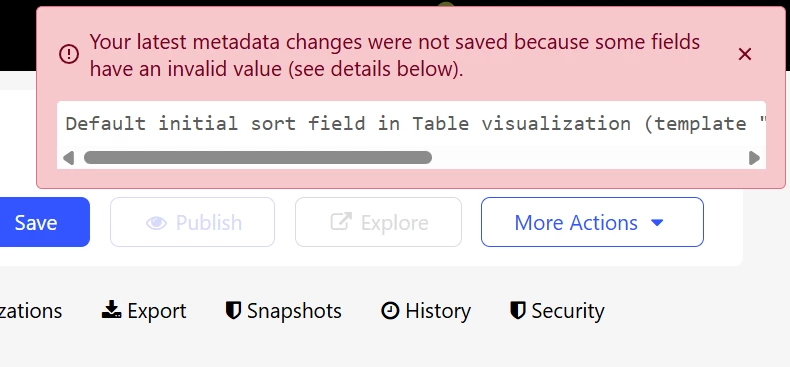
An additional error / consideration… when duplicating a dataset I now get an error which is seemingly difficult to get out of