

Hello Community,
What is the user journey when searching for data?
Here, we outlined the three steps of data discovery. Let’s now look at how they play out in your portal—and what you can customize at each stage.
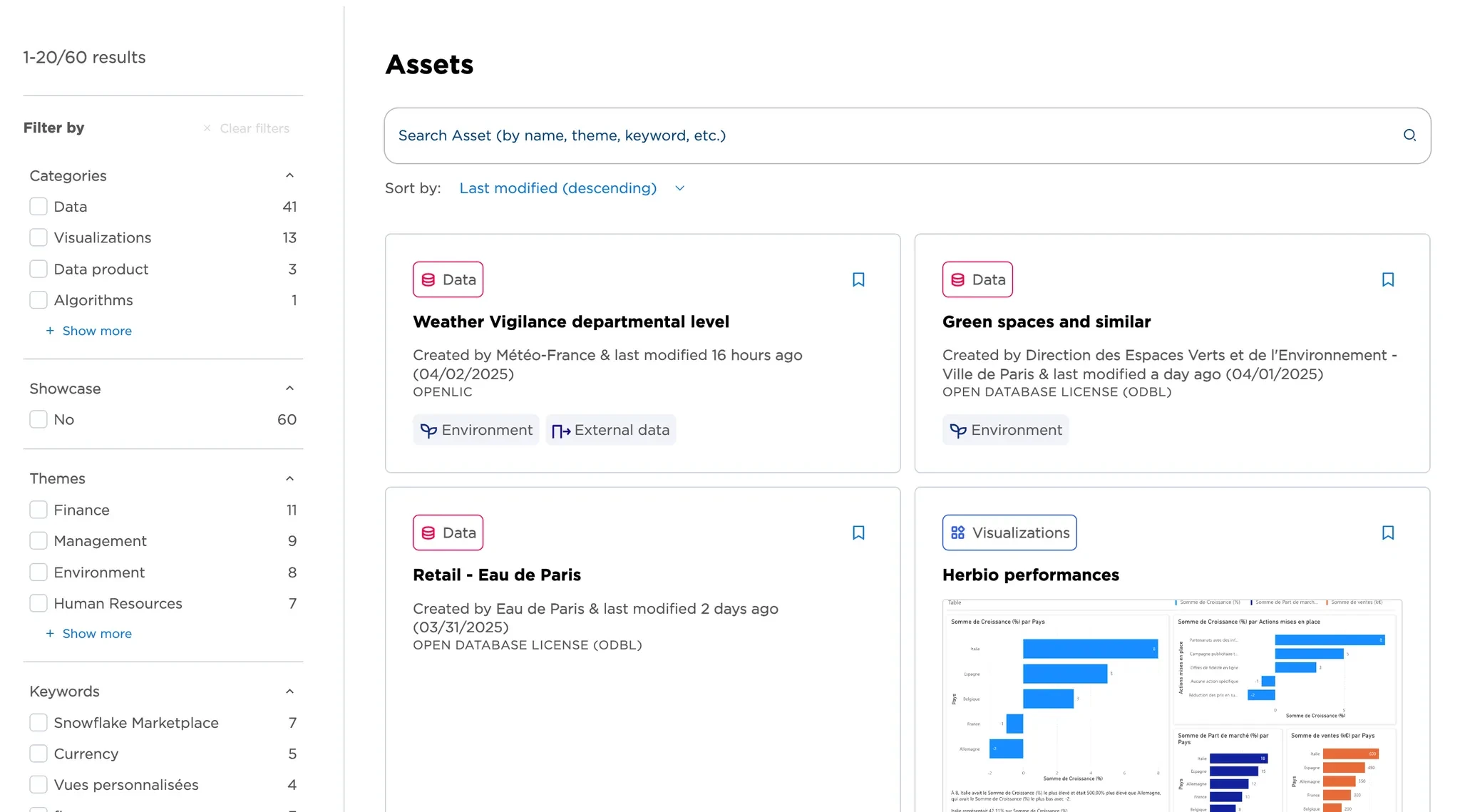
Step 1, “Discovery”
—where users search for data assets via Semantic search or filters. Clicking on the data asset card brings them to the Asset page.
🖌️ What can you customize?
For now, you can customize asset category (see this post) and asset card thumbnails (in the Metadata tab). More options are on the way—like configuring filters and filter sorting, and viewing user search queries entered in the search bar. We will let you know when these features are released.
Step 2, “Evaluation”
—where users access detailed information about the asset and choose the next action.
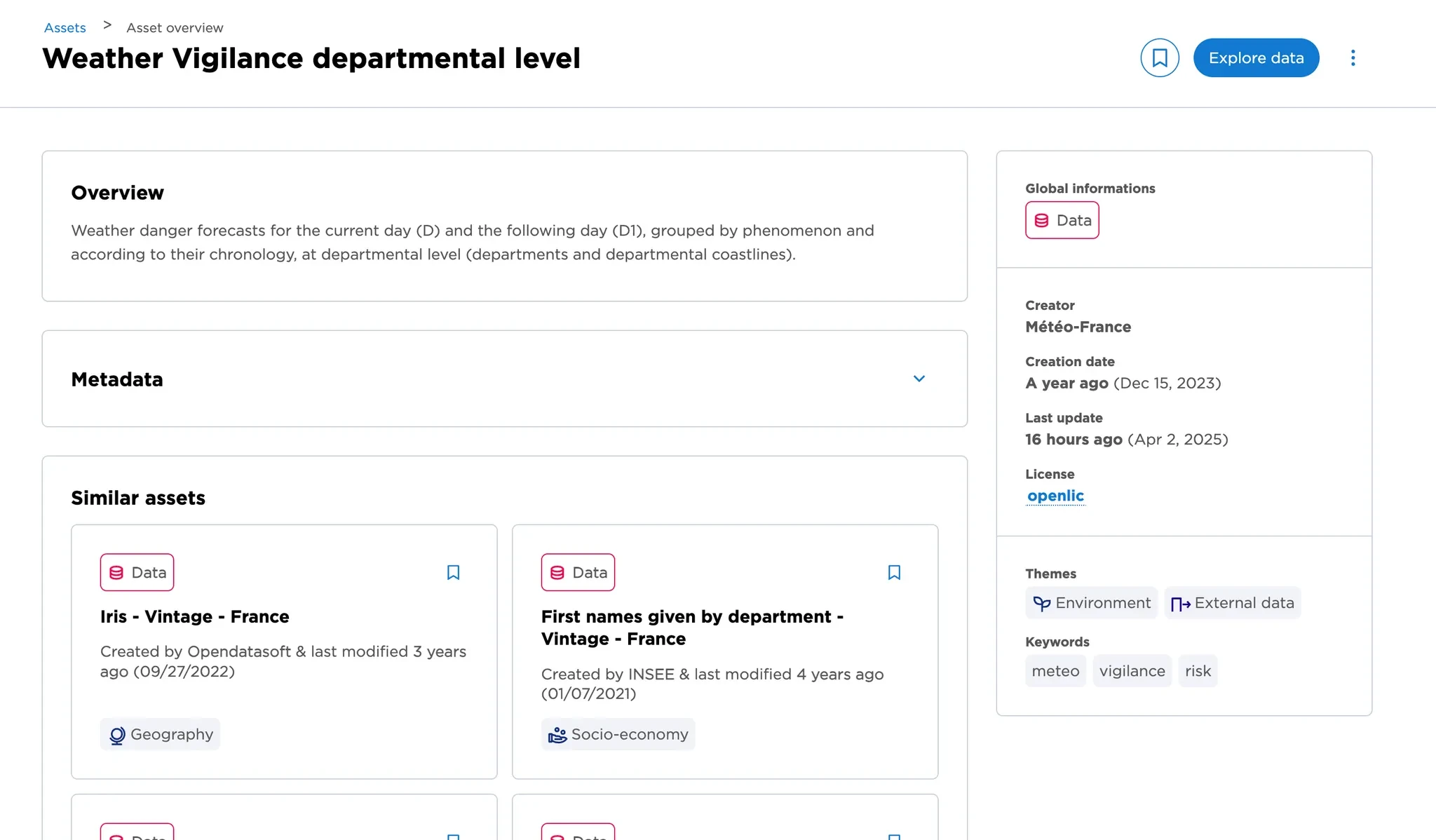
This page includes:
- Metadata of the asset
- Similar assets, suggested by an AI algorithm based on relevance
- A main Call to Action (CTA), with additional actions in the menu
- Up to five previews of the asset
- Attachments (currently available for datasets only)
🖌️ What can you customize?
- All metadata: description, owner, last update, etc.
- The visibility of metadata fields
- The layout of the Asset page
- The visibility of each element in the Asset page
- The CTA (Call to Action) shown on the page. Other actions will be available via the three-dot menu.
We’ll share step-by-step setup instructions shortly.
Step 3, “Data consumption”
—where users can view, download, or interact with the asset’s content—via API or built-in consumption tools.
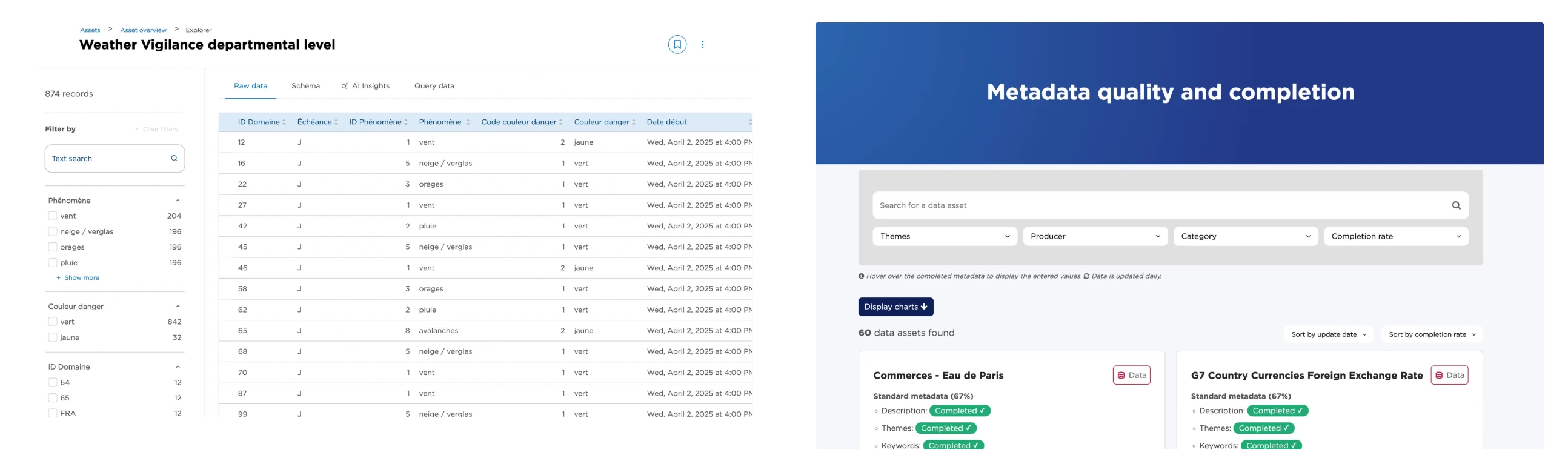
There is a wide choice of consumption tools:
- Explore data (for all assets)
- Export data (for datasets and eventually for Studio pages)
- Open custom views (for datasets)
- Consume the data via API (available soon, for datasets)
Soon, users will be able to create custom visualizations using the no-code Studio. This will replace the current Map and Chart builders, which will remain available until the transition is complete.
Additionally, users can bookmark assets or share them with other data consumers.