
Hello community,
The style editor is getting an upgrade!
Go to Portal > Style, and you’ll see the following changes:
- A live preview of your portal as you customize it.
- Style options grouped by type (text, buttons…).
- Highlight becomes Accent: now you choose an accent color range, and it adapts across the portal.
- Button styling: customize buttons and their hover states without manual CSS edits.
- Catalog card styling no longer requires custom CSS — you can now set colors directly. And soon, you’ll also be able to customize the catalog card layout.
- Layout options (grid options and responsive breakpoints) are now standardized across all pages.
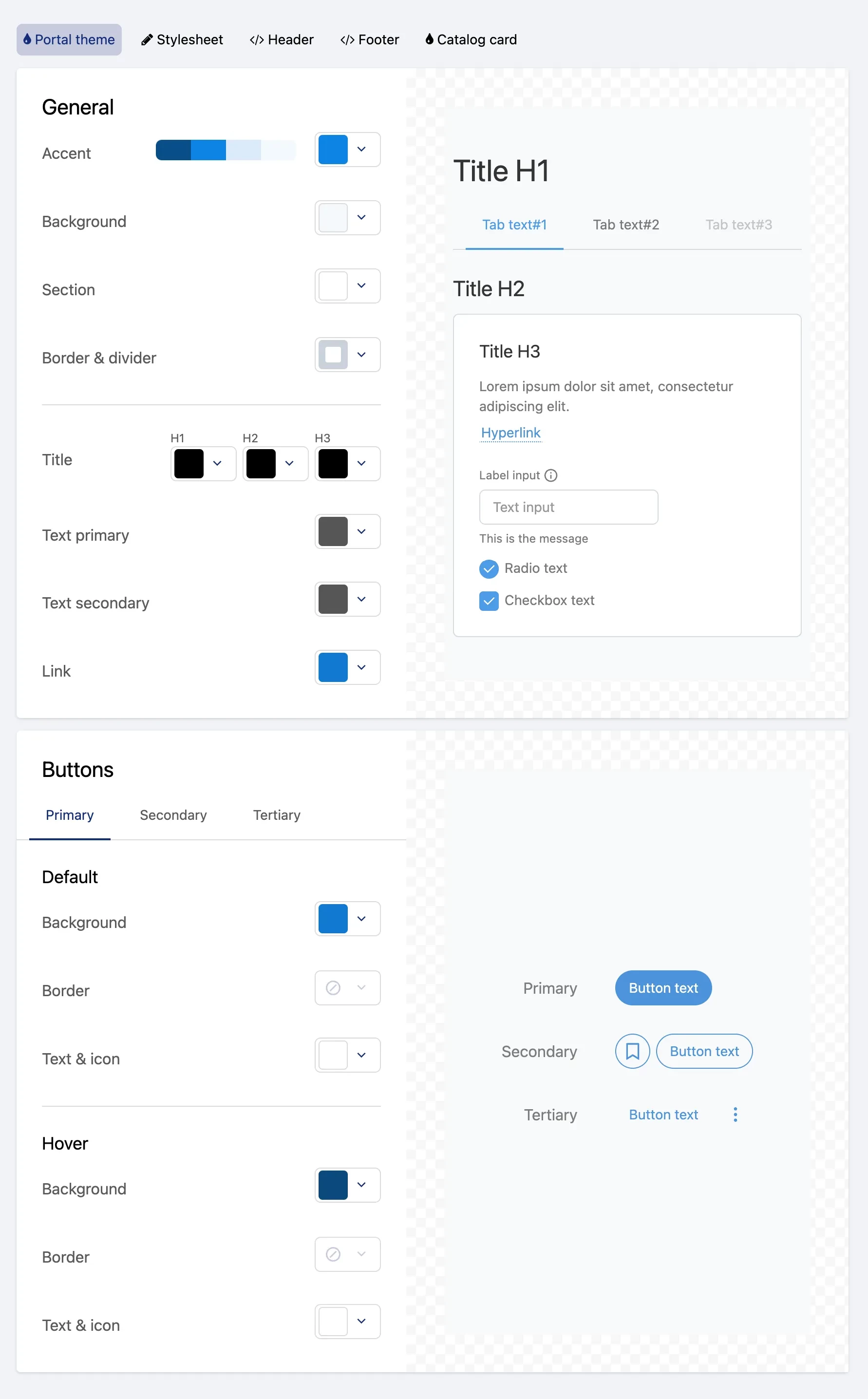
With the new style configuration feature, your previous configuration will be migrated into the new interface.
💎 Our plan is to transition toward no-code style editing. Though you'll still be able to use custom CSS in some places, most customizations will be possible via the new interface.
What’s coming next:
- Catalog cards settings with metadata and layout selection.
- No code editor for button angle radius and fonts.
- An accessibility indicator will show an alert message if the contrast is not good enough.
- No code customization of the header and footer.
- Ready-to-use settings based on common design system (like government portals).