




Huwise now ships several AI building blocks, each built for a specific purpose. Knowing them well means picking the right tool for the right moment. Here's a quick tour.
1. AI Insights: turn a question into a chart
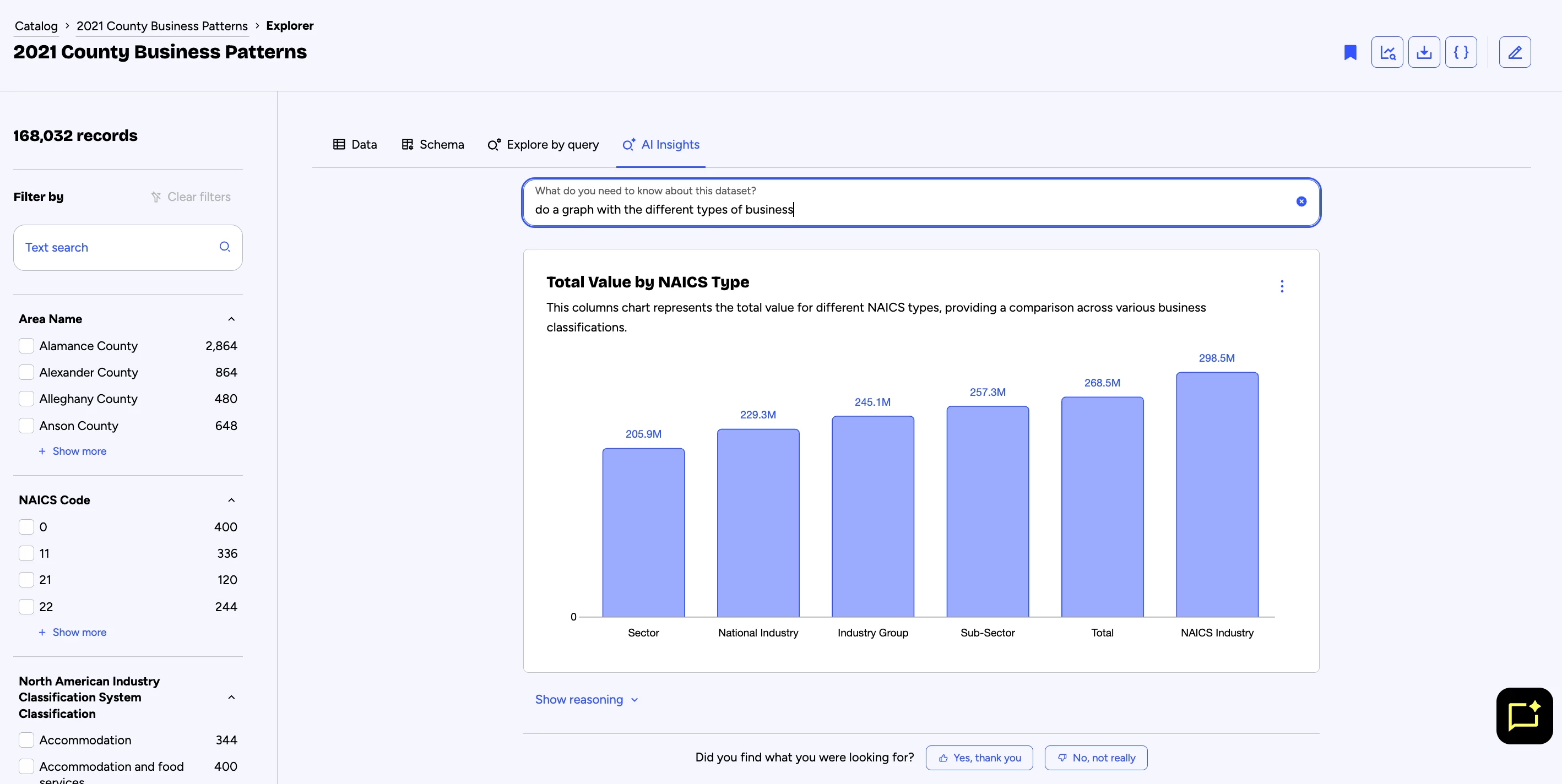
What it is. AI Insights generates a chart on the fly from a question asked in plain language, with no prior configuration. You describe what you want to visualize ("breakdown of data assets by topic"), and the AI identifies the relevant fields among the assets you have access to, picks a suitable chart type, and displays it.
- Why it's useful. For a one-off need : prepping for a meeting in ten minutes, checking a hunch, exploring data with no technical skills required. AI Insights skips manual configuration entirely.
- Good to know. The result is disposable: if you need a stable chart to share or reuse over time, use Chartbuilder instead, not AI Insights. And as with any generated answer, always double-check the numbers shown against the relevant data asset's page.
2. Semantic search: a search that understands intent
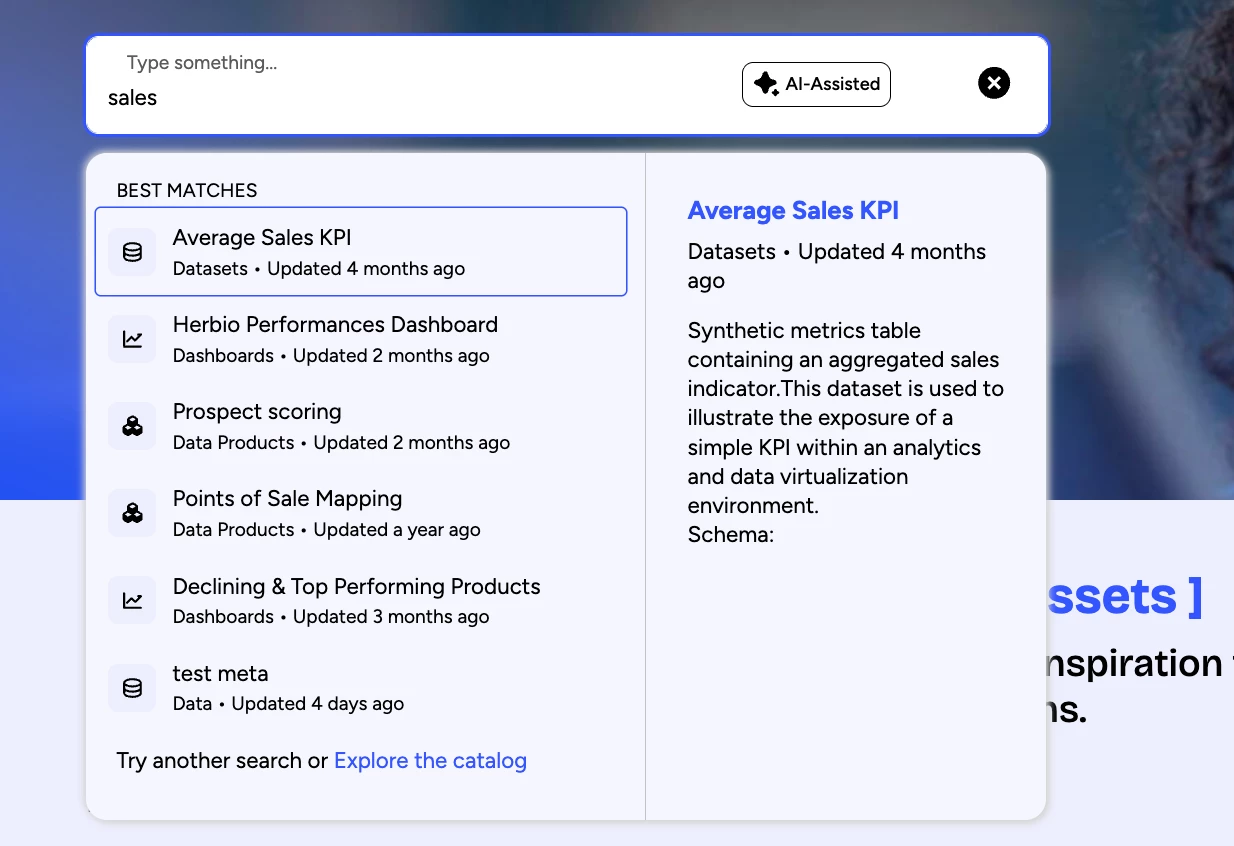
What it is. Unlike classic keyword search, Huwise's semantic search engine understands the meaning of a query, beyond exact words. Type "schools near Lille" and it will still surface an asset titled "educational establishments — Hauts-de-France," even without an exact text match.
- Why it's useful. You no longer need to guess the exact name of an asset: just describe your need in your own words, in everyday language.
- Good to know. Results are ranked by relevance, not perfect exactness: the asset's page remains the reference to check before use. And it's not a conversation: the engine returns a list of assets, not a written answer — for that, head to Huwy.
3. Huwy: ask your question, get a sourced answer
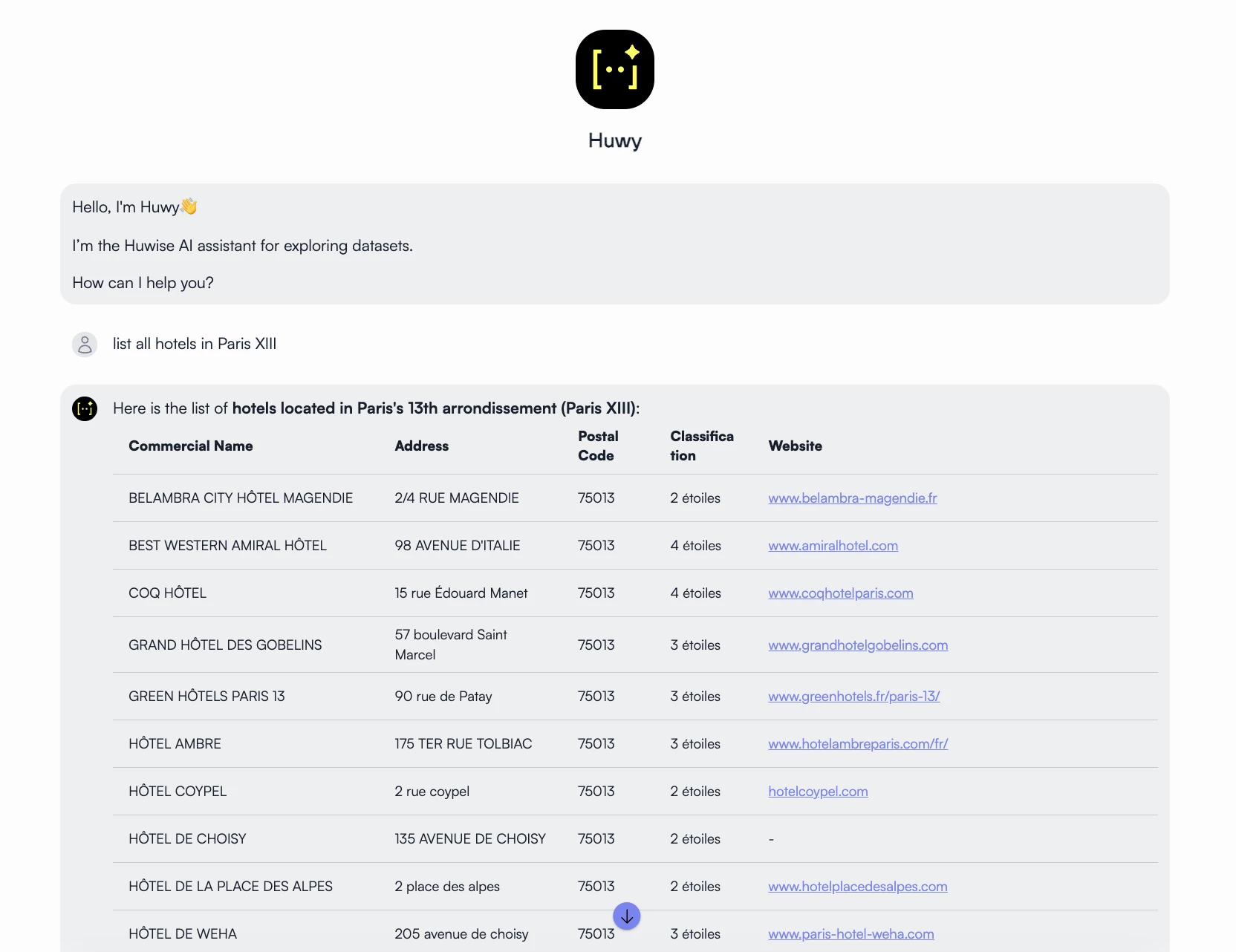
What it is. Huwy is Huwise's conversational agent. It answers your questions about data assets in text, citing the sources it used to build the answer. It relies on semantic search to find the relevant assets, within the limits of your access rights.
- Why it's useful. A precise question (what, when, where) lets Huwy target the right assets and provide a directly usable summary — no need to browse the catalog manually.
- Good to know. Huwy doesn't generate charts yet: that capability is planned for a future release. In the meantime, AI Insights handles that. And since a generated answer is never 100% guaranteed, get in the habit of checking the cited source before acting on it.
4. Admin AI agents: decision support, never blind automation
What it is. On the administration side, Huwise lets you create AI agents that observe real portal activity (searches, clicks, conversion rates) and suggest concrete recommendations: enrich a description, fix a piece of metadata, create a new asset. Three examples already in use:
- Marketplace Curator suggests improvements to existing assets.
- Opportunity Spotter spots missing assets based on unsuccessful searches.
- Data Product Builder generates a new asset from a plain-language description.
- Why it's useful. These agents speed up detection of what deserves your attention. But the decision stays human: no sensitive action (unpublishing, access changes, deletion) is ever applied automatically — an admin or catalog curator always validates it before it goes live.
- Good to know. These three agents are only examples: you can have as many admin AI agents created as needed, tailored to your organization's specific needs. To scope a need or get a demo, reach out to your Huwise Account Manager.
Want to go further? A full training path (4 modules, with hands-on exercises) is available to get up to speed on each of these tools.