



Hi everyone,
On a portal with dozens or hundreds of assets, finding the same dataset again takes time. You have to re-type the search, re-apply the filters and scroll through the cards. Bookmarks remove that step. Here is how they work and how data explorers and data owners can use them.
How it works
You can bookmark an asset from two places:
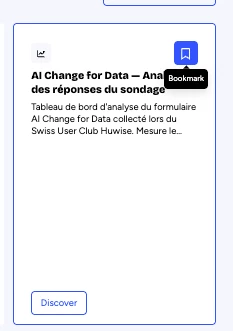
- In the catalog: each asset card has a bookmark icon. Click it to save the asset while you browse, without opening the asset page.
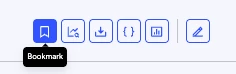
- On a dataset's Explore page: the Bookmark button sits in the top-right corner, next to Export data, Use API console and Show views.
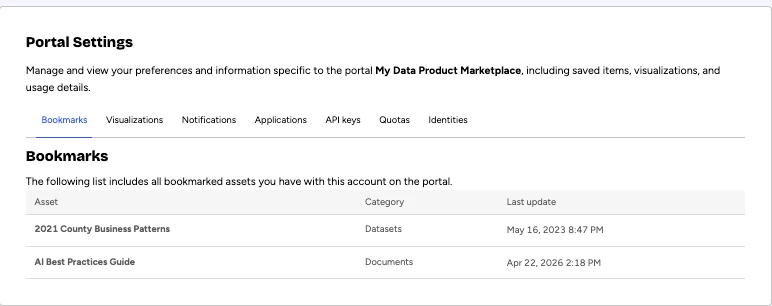
All your saved assets are in Account > Bookmarks.
Two conditions apply:
- You must be logged in with an account. The Bookmark button does not appear for anonymous visitors.
- You can bookmark any asset you have access to. Some assets are visible in the catalog but restricted to specific users. For those, the asset page shows a Request access button, and the publisher decides whether to grant access.
For data explorers
- Return to your data in one click. The datasets you check every week are in your account. You don't need to repeat the AI search or the filter combination that led you to them.
- Shortlist while you browse. When you compare several assets in the catalog, bookmark the relevant cards from the catalog and review them afterwards one by one.
- Go back to work faster. A bookmark opens the asset page, where you can explore the data, export it as CSV or another format, build an API call or open the views prepared by the publisher.
For data owners and portal admins
- On an open data portal, allow sign-up. Bookmarks need an account. If your visitors can only browse anonymously, they cannot save anything. Opening account creation lets regular visitors keep their favorite assets in their account settings.
- On a portal with private data, bookmarks follow access rights. Users bookmark only what they can access. Once you approve an access request, that user can save the asset and come back to it.
- Complete your metadata. The AI-enhanced search relies on metadata to surface assets. A clear title, description and themes help users find your asset, then save it for later.
To go further, see these user guide articles: Exploring a catalog of assets, Exploring a dataset and Sharing, reusing, communicating.
How do you use bookmarks today? Do you keep a short list of daily datasets, or do you use them to prepare a comparison? Share your habits in the comments 👇